
Read-only by design
A WooCommerce key with write permission and a full Stripe secret key are refused when you connect them.
Security and data protection
You are about to give a monitoring service access to your shop and your payment accounts. This page shows exactly what Business Watchdog reads, what it never does and how it protects your data — with screenshots of the real product and the exact permission lists.
They are built into the service, not just written down: where a platform allows it, the service refuses access that is wider than it needs.
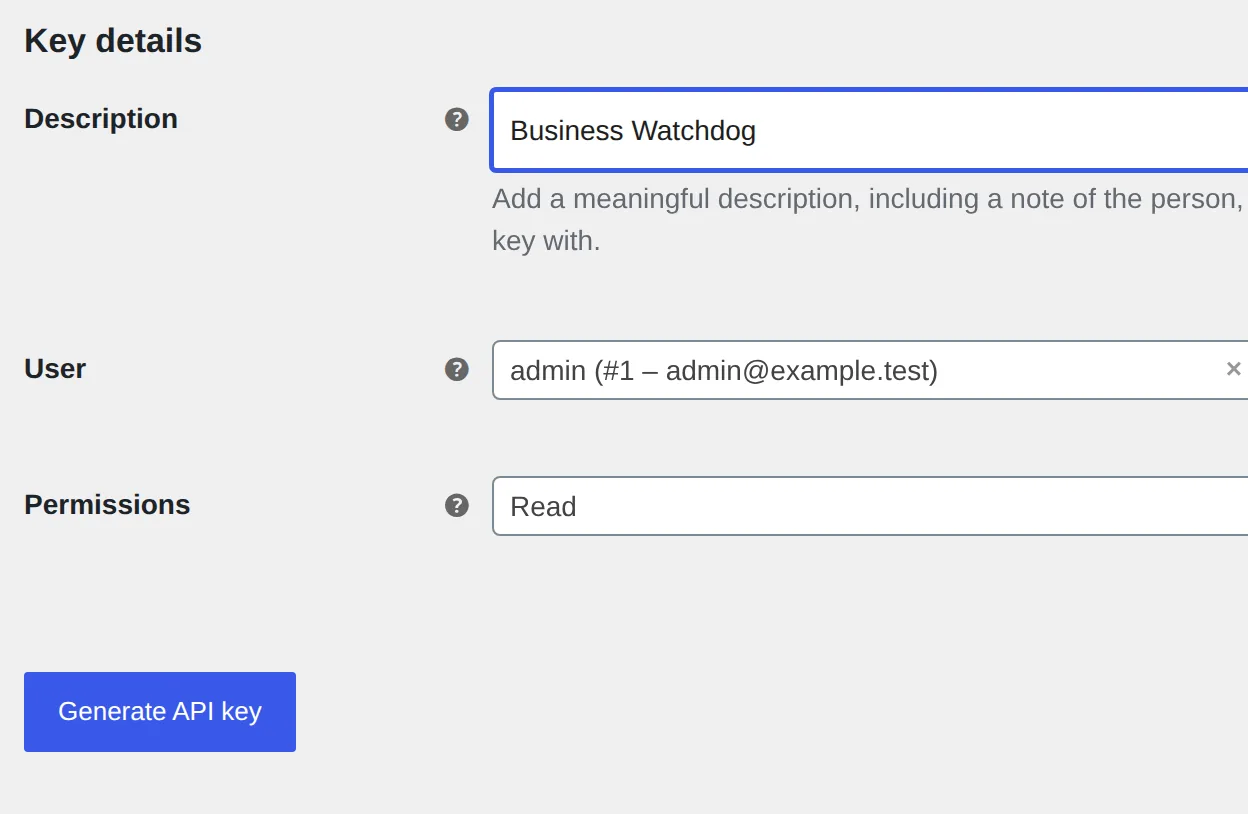
A WooCommerce key with write permission and a full Stripe secret key are refused when you connect them.
No names, addresses, e-mails, phone numbers or order items of your customers are requested.
You never share an admin password. Keys are stored encrypted; after saving, only their last characters are visible.
Servers and encrypted backups are in Germany. We process your store data as a processor under Art. 28 GDPR.
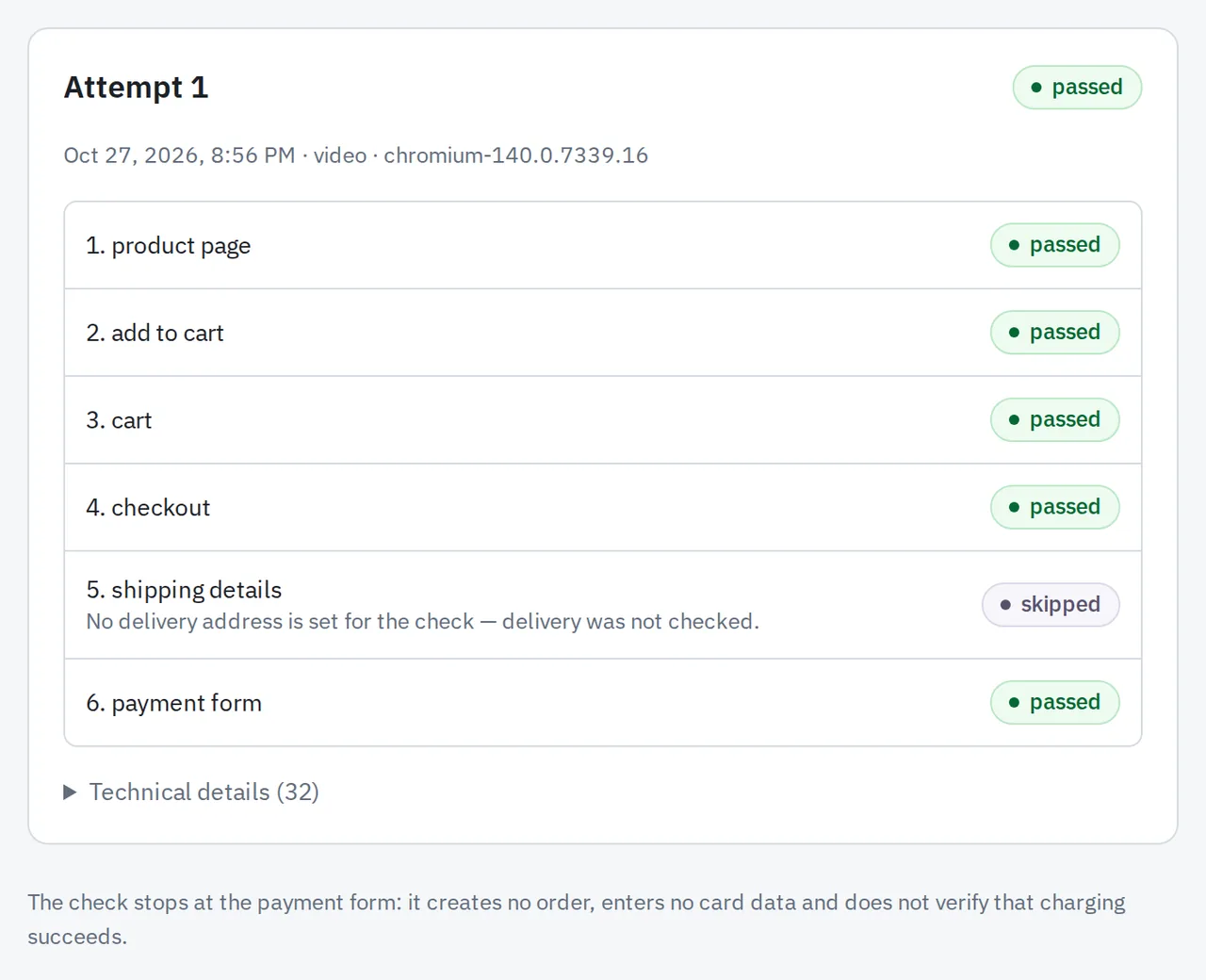
The checkout check stops at the payment form. It never places an order and never enters card details.
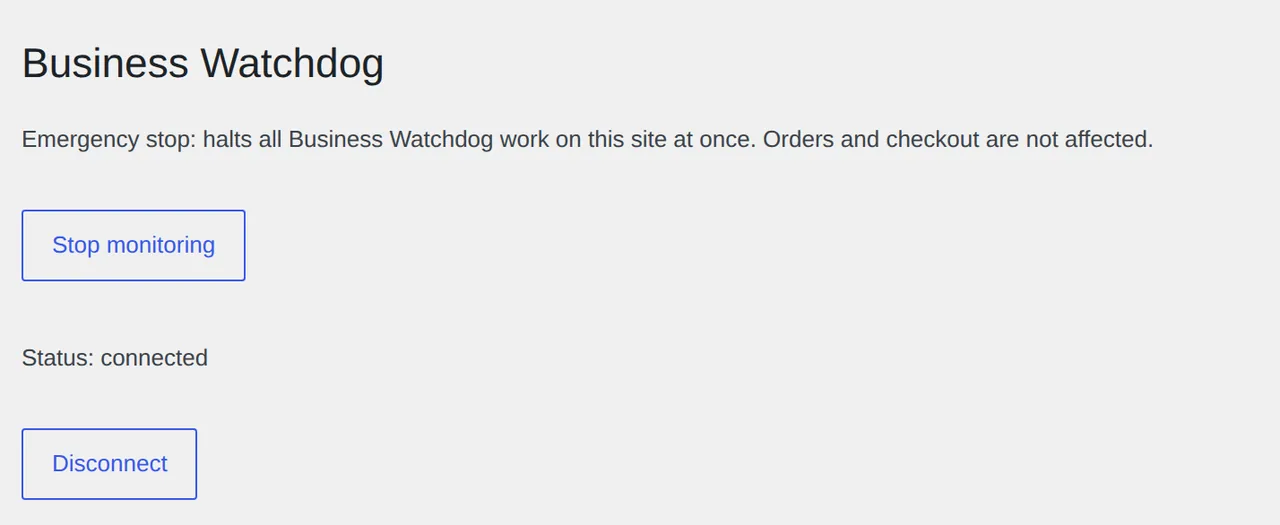
Revoke a key, stop the plugin with one click or delete your organisation — at any time.
You create the key yourself in WooCommerce and choose the permission. Business Watchdog checks it when you connect.
The only requests sent to your store
GET /wp-json/wc/v3
GET /wp-json/wc/v3/orders
GET /wp-json/wc/v3/orders/{id}/refunds
GET /wp-json/wc/v3/webhooks
Order fields requested (_fields)
id, number, status, currency, total,
payment_method, payment_method_title,
transaction_id, order_key, created_via,
date_created_gmt, date_modified_gmt,
date_paid_gmt, refunds, meta_data
WooCommerce cannot return single meta keys, so from meta_data the service keeps only payment references (payment mode, the provider’s refund ID) and discards everything else immediately.
Stripe lets you create a restricted key that can do nothing but read. That is the only kind of key Business Watchdog accepts.
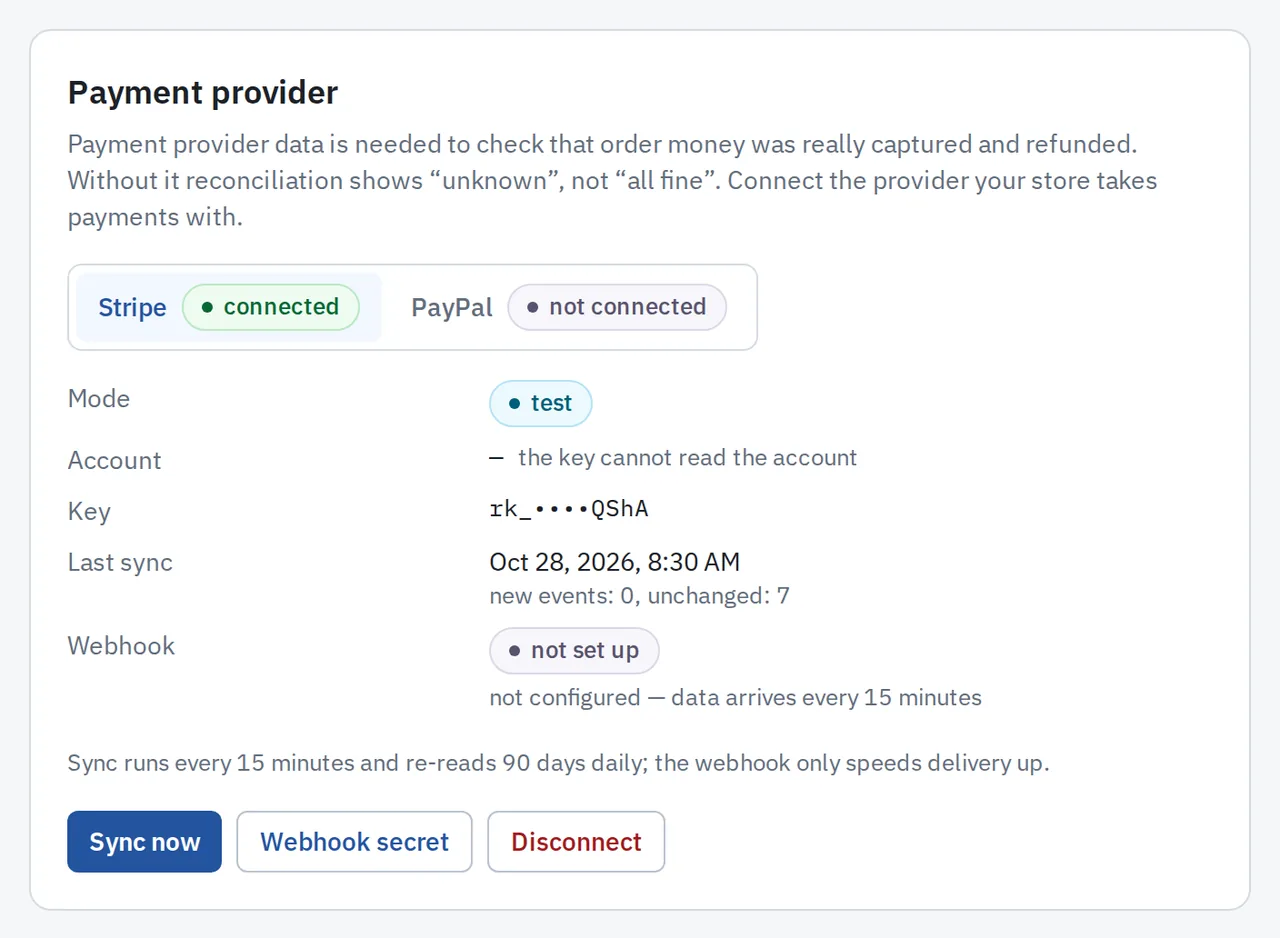
rk_…), shown only by its last characters.sk_…) is refused with the message: «Only a restricted read-only key (rk_…) is accepted».Permissions of the restricted key
Payment Intents     Read
Charges             Read
Refunds             Read
Disputes            Read   optional
Balance             Read   optional, for fees
Account             Read   optional
Webhook Endpoints   Read   optional
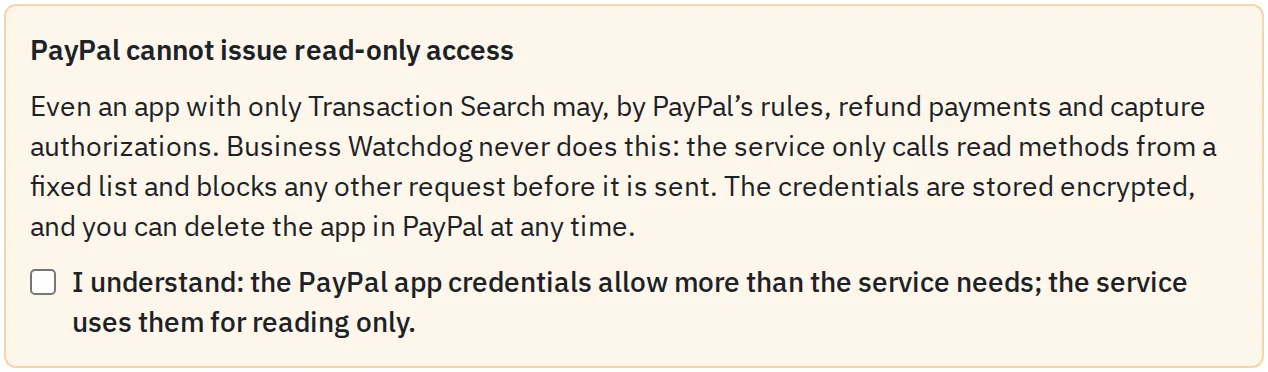
Everything else NoneBy PayPal’s rules, even an app with only Transaction Search may also refund payments. Business Watchdog never does that: it calls only reading methods from a fixed list and blocks every other request before it is sent. The dashboard shows this warning before you connect, and you confirm it.
The only PayPal methods the service calls
POST /v1/oauth2/token          sign in
GET  /v1/reporting/transactions
GET  /v2/checkout/orders/{id}
GET  /v2/payments/captures/{id}
GET  /v2/payments/refunds/{id}
GET  /v2/payments/authorizations/{id}
GET  /v1/customer/disputes      optional
GET  /v1/customer/disputes/{id} optional
GET  /v1/notifications/webhooks
POST /v1/notifications/verify-webhook-signature
The two POST requests only sign in and check that a webhook really came from PayPal. Credentials are stored encrypted, and you can delete the app in PayPal at any time.
Before installing the Business Watchdog App, Shopware shows you its permissions — they are all read permissions. With an integration key, you create a role that may only view orders.
Permissions of the App (manifest.xml)
<permissions>
    <read>order</read>
    <read>order_transaction</read>
    <read>order_transaction_capture</read>
    <read>order_transaction_capture_refund</read>
    <read>currency</read>
    <read>payment_method</read>
    <read>state_machine</read>
    <read>state_machine_state</read>
</permissions>POST /api/oauth/token
POST /api/search/order
POST /api/search-ids/order
POST /api/search/custom-entity-bw-checkout-report
POST /api/_action/sync only the App’s own recordsHonestly: Shopware lets even a «view only» role change order, payment and delivery states. The service never sends such requests — they are not on the list above.
The plugin is not required — a read-only key is enough. It adds instant updates and payment attempt counts. It is published in the WordPress.org plugin directory, reviewed by the WordPress.org plugin team.
A browser walks through your store like a shopper — product, cart, checkout — and stops at the payment form.
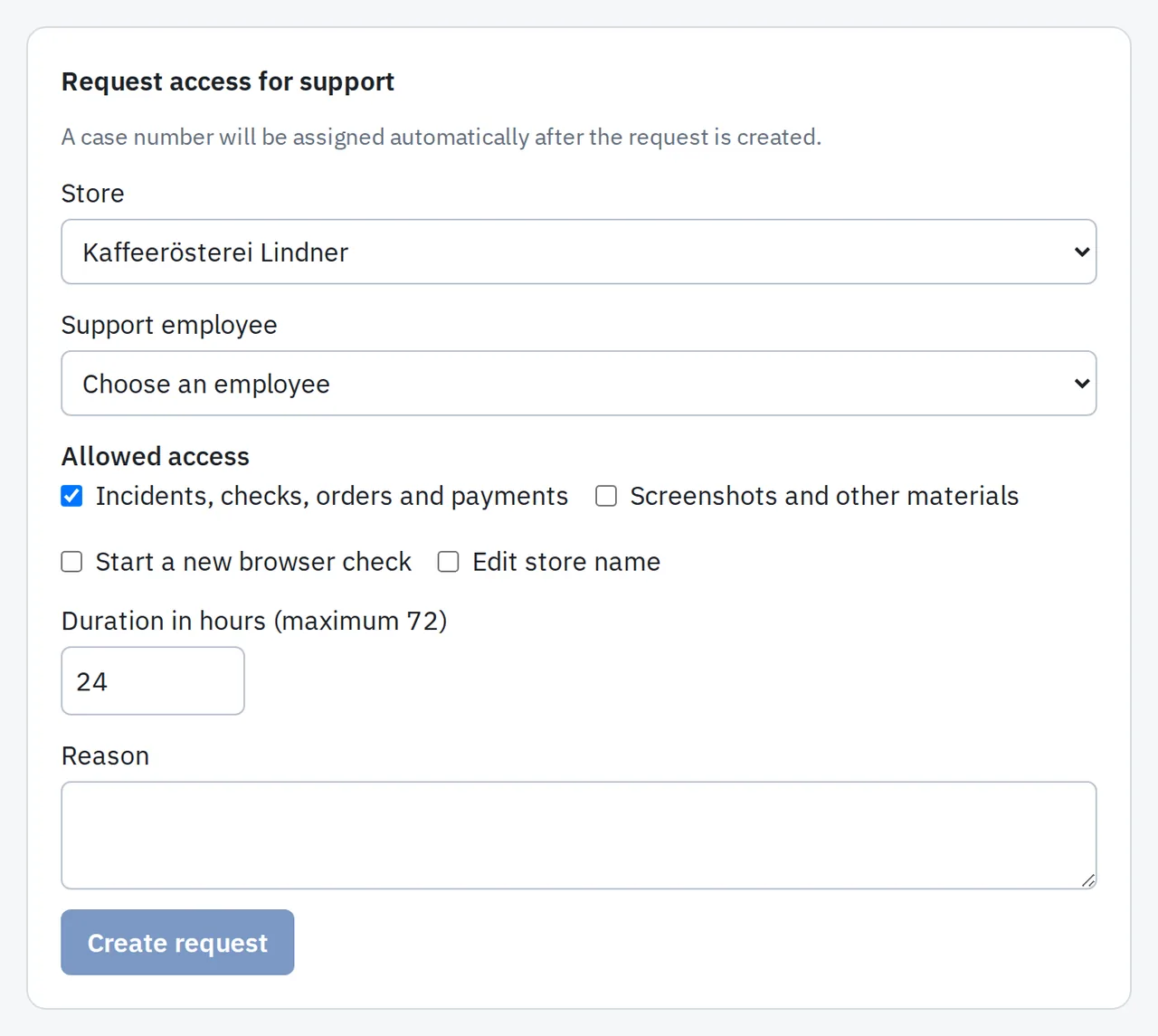
Short retention, encryption and access only with your approval.
Yes. We process your stores’ data on your behalf as a processor under Art. 28 GDPR. The data processing terms are part of our Terms of Service (Section 15).
On servers in Germany, with daily encrypted backups that are also kept in Germany. Details, including where the service is operated from, are in the Privacy Policy.
Contabo GmbH runs the servers and backups. Paddle handles subscription payments as an independent controller. Telegram receives alert texts only if you connect a Telegram chat.
The observation script sets no cookies, stores nothing on the device and collects no personal data of your customers. In the dashboard you find a ready paragraph for your privacy policy and a legitimate interest assessment template. Please review them with your own legal adviser.
Order history for 90, 180 or 365 days depending on the plan, check screenshots for 30 days, account data until 30 days after the account is closed.
Yes. Deleting your organisation removes its account data within 30 days, unless a legal retention duty applies. Revoking keys stops new data at once.
Check the public path to your checkout for free, without signing up, or watch the one-minute videos recorded on a test shop.